
























GoldenRoo Login Australia and Sign Up Page
An account at GoldenRoo gives Australian players access to the casino lobby, wallet, bonuses, VIP and loyalty features, profile settings, and transaction history. Registration and login are available directly through the website, while the same account can also be opened on a smartphone through the casino’s Progressive Web Application. The profile section allows players to manage personal details, security settings, and account verification.
Setting Up Your Casino Account
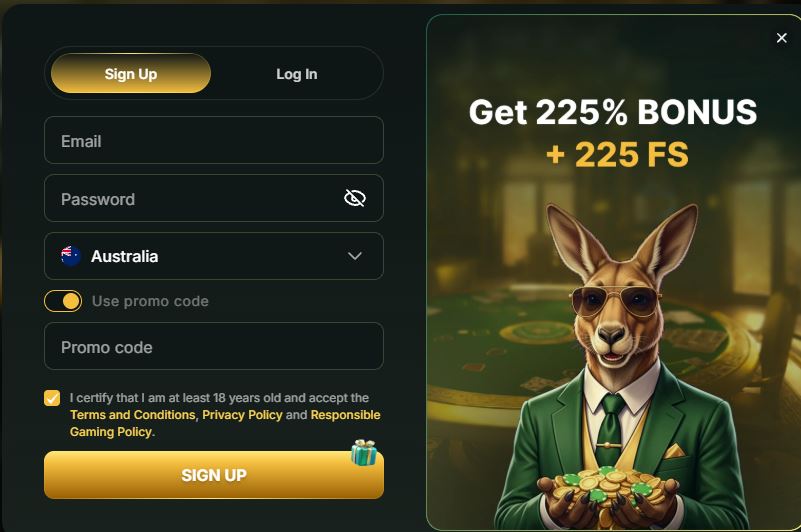
Creating a GoldenRoo account starts by clicking the Sign Up button located in the upper-right part of the website. A registration form then opens directly on the casino homepage.
The first details requested are your email address, password, and country of residence. Australian users can select Australia from the country menu. The registration form also includes a field for entering a GoldenRoo promo code when one is available. Follow these steps:
- Enter your email address and create a password that will later be used for GoldenRoo login.
- Choose your country and add a promo code if you have one.
- Confirm that you are an adult, accept the relevant policies, and continue.
- Provide your first and last name, date of birth, gender, residential address, city, postcode, and telephone number in the next registration form.
- Review the information carefully and click Save. Registration is completed once the successful creation of your account is confirmed.
GoldenRoo registration guide for Australian players with sign-up steps.
Google and Microsoft sign-up buttons may also be available on the initial registration screen. All personal details entered during registration should be accurate. If GoldenRoo later requests account verification, the information provided when the account was created should correspond with the details shown in your verification documents.
GoldenRoo Login
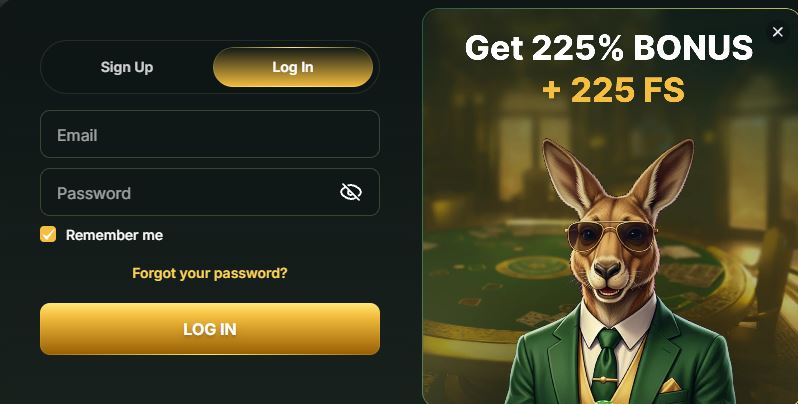
GoldenRoo login screen for Australian players with email and password access.
Returning players from Australia can access their GoldenRoo account by selecting the Log In button displayed at the top of the website. The login window opens with the fields required to enter the account and may also provide several alternative access options.
- Enter the email address used when registering the account.
- Type the account password. You can use the eye icon if you need to view the characters you entered.
- Select the relevant checkbox if you want the website to remember your login details for easier access from the same device later.
- Press the login button to access the account using the information provided.
Google and Microsoft login buttons may also appear for users who originally created their accounts using one of these services. After successfully signing in, players can access GoldenRoo features such as the casino lobby, games, wallet, promotions, and account settings.
If login does not work, first check that the email address and password have been entered correctly.
Account Recovery
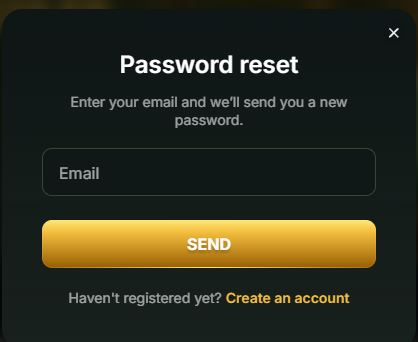
If you forget your GoldenRoo password, it can be reset directly from the login window. Select the Forgot your password? option shown beneath the password field to begin the recovery process.
The recovery form asks for the email address connected to your existing GoldenRoo account. Enter the registered email and select Send. According to the casino process, a new password or recovery information will then be sent to that email address.
To restore access:
- Open the GoldenRoo login window and select Forgot your password?.
- Enter the email address used during registration.
- Click Send to begin the recovery procedure.
- Check your inbox for the message and review the spam or junk folders if it does not appear immediately.
- Log in using the new credentials and store them securely for future use.
GoldenRoo account recovery and password reset guide.
If you no longer have access to the email address connected to your account, contact GoldenRoo customer support for assistance with recovery. Make sure that you use the same email originally provided during registration, since the recovery process depends on the account’s registered contact details.
If the password reset email does not arrive, verify that the entered email address is correct before submitting another request. Never share passwords or recovery information with another person, and use only the official GoldenRoo website at casino-goldenroo.net when managing account access.
Golden Roo Verification for Australian Players
GoldenRoo may ask Australian users to complete KYC verification to confirm their identity and place of residence. A Verification section is available within the player profile, and after registration its status may initially appear as Verification pending.
According to GoldenRoo, these checks are used for customer identification and to reduce the risk of financial crime and money laundering. Full KYC verification may become mandatory when:
- lifetime deposits exceed 5,000 EUR;
- a withdrawal request is submitted;
- a transaction is classified as suspicious.
The level of due diligence may vary depending on the user, transaction, and assessed risk. During verification, GoldenRoo may request a government-issued identification document, such as a passport, identity card, or driver’s licence, together with a selfie showing the account holder holding the same document.
GoldenRoo may also require Australian players to provide proof of residence, such as a recent bank statement or utility bill issued within the previous three months. The name shown on the residence document must correspond with the account information and identification document. The ID should also remain valid for at least another three months.
While verification is being completed, withdrawals or certain other account functions may be temporarily restricted. Additional identity checks may also take place before a withdrawal is approved, including a verification phone call. If submitted documents are rejected, the reason may be recorded and included in an automatically generated support ticket.
GoldenRoo Progressive App Login on Android and iOS
GoldenRoo can also be accessed on mobile devices through a Progressive Web App, or PWA, without installing additional native software.
On Android, players can add the GoldenRoo website to the smartphone home screen when the installation option is available. After installation, open the GoldenRoo icon and enter the same registered email address and password used for the website.
On iPhone, open casino-goldenroo.net through Safari, select the Share option, and use Add to Home Screen to place the GoldenRoo PWA on the device.
Once the PWA has been added to the home screen, players can sign in using the same GoldenRoo account credentials used on the regular website.
Install
Profile and Features
After logging in to GoldenRoo, the profile section provides access to the main tools for managing the account. The menu includes Profile, Bonuses, Wallet, Cashback, and History, while the main area changes depending on which section is selected.
The Profile section allows users to view or manage personal information such as their name, date of birth, country, address, postcode, telephone number, and registered email. It also contains Verification and Security sections. Through Security, players can change their password. The password should contain at least eight characters and include a capital letter, number, and special character.
The Bonuses section displays available free spins, the current bonus balance, and active or queued promotions. A promo code may also be entered there after registration.
Wallet shows the player’s current balance and provides access to the Deposit section. A promo code may also be entered before completing a qualifying deposit where this option is available.
Cashback provides information about the player’s current loyalty level, cashback percentage, weekly cashback limit, and other loyalty tiers together with their applicable rates.
The History section allows users to review previous transactions and filter them by date, amount, transaction type, or status. Separate tabs may also be available for Betting and Game Rewards.
How to Close an Account?
GoldenRoo account closure guide with balance check and customer support steps.
GoldenRoo does not provide a direct account closure button inside the profile after login. Players who want to close an account are instructed to contact Customer Support using the email address registered with the casino.
Before submitting an account closure request, check the available balance and make sure that any pending transactions have been reviewed. Under the GoldenRoo terms, cleared and unused funds may be withdrawn, while account closure may allow the remaining eligible balance to be paid out.
If you have difficulty accessing the casino or experience an account security issue, contact GoldenRoo support instead of creating another account. GoldenRoo allows only one account per player.
GoldenRoo Login Help and Support
If you cannot log in to your GoldenRoo account, first confirm that the registered email address and password are correct. If you have forgotten the password, use the recovery option available through the login window.
When the credentials are correct but the account still cannot be accessed, refresh the page and check that your internet connection is stable. If the issue continues, clearing browser cache and other stored browsing data may also help.
For persistent login problems or other account-related issues, contact GoldenRoo Customer Support through Live Chat. When communicating with the support team, provide the registered email address connected to your account, since it may be used to identify the account.
If you believe that your GoldenRoo account or registered email address has been accessed by an unauthorized person, notify the casino support team as soon as possible.
GoldenRoo Login FAQ
What information is required for registration?
The GoldenRoo registration form initially requires an email address and password. You will then need to provide additional personal information, including your first and last name, date of birth, country, residential address, city, postcode, and phone number. You must also confirm that you are an adult and accept the applicable policies.
How can I recover my password?
Open the GoldenRoo login page, select “Forgot your password?”, enter the email address registered with your account, and click “Send”. Then follow the recovery instructions provided to your email address.
Is KYC mandatory?
KYC verification may be required to confirm your identity and residential address. Full verification is required when you request a withdrawal, when lifetime deposits exceed 5,000 EUR, or when a transaction is identified as suspicious.
What can I access after logging in?
After a successful GoldenRoo login, you can access casino games, your wallet, bonuses, cashback, and loyalty features. The profile also provides tools for managing personal details, account security, verification, and other settings.
How can I close my account?
There is no direct account closure option in the GoldenRoo profile. To request closure, contact Customer Support using the email address registered with your account. Any remaining balance and pending financial transactions should be reviewed before the account closure is completed.